GUIDESEPISODES
Change one number, see someone else’s order? That’s IDOR
In our episode, a viewer changes 7 to 8 in an order link and sees Sarah’s name and address. The login worked fine. Nothing checked whose order it was. Here’s the 2-minute check, and the fix your AI can apply today.
COMMENTED ROOM? HERE’S THE FIX.
The 2-minute check.
Tick each one off as you do it. Your progress stays on this device.
0 of 3 done
A free audit can take a second look at the rest of your code.
01THE PROBLEM
What happened on launch day
Why it mattersIf the only thing between a user and someone else’s data is a number they can type, it isn’t protected.
In the episode, Aster is live on launch day. A viewer, counting_kevin, buys a hoodie and opens his order. The link ends in /orders/7. He changes the 7 to an 8 and presses enter. Now he’s looking at Sarah’s order: her name, her address, what she bought. A minute later the real Sarah is in the chat asking why her address is on stream.

Open the full chapterIncludes code
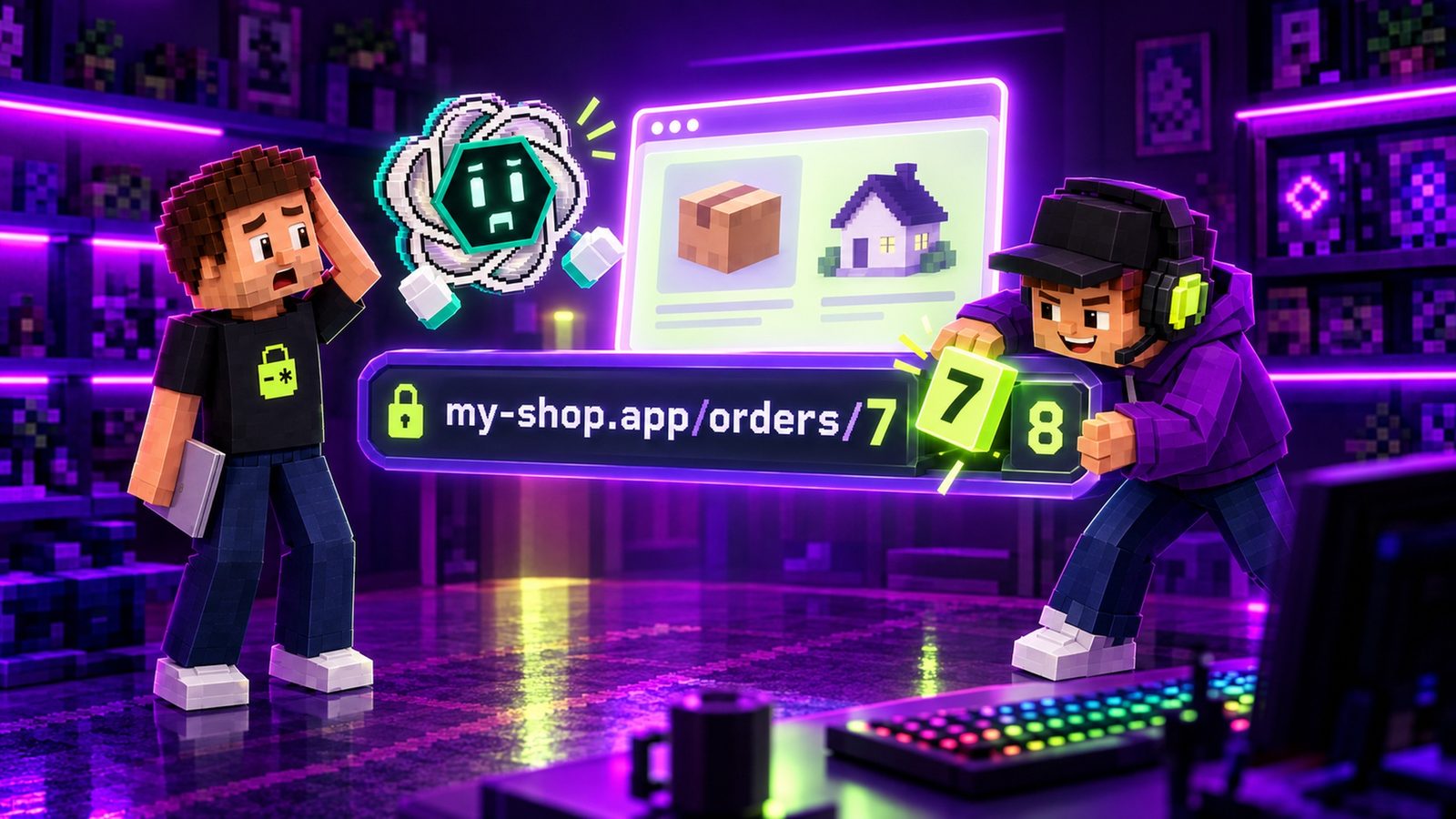
Nothing was hacked. Kevin didn’t guess a password or break any code. He used the app exactly the way it was built. It opens each order by the number in the link. It never asks whether that order belongs to the person asking.
Security people call this IDOR (Insecure Direct Object Reference). OWASP’s API list calls it Broken Object Level Authorization, or BOLA. Same bug: you can reach other people’s things by changing an ID.
What it looks like in code
This is the kind of route an AI assistant writes when you ask for “an order page for logged-in users”. Look closely: it does check login.
// app/api/orders/[id]/route.ts
import { getSessionUser } from '@/app/lib/dal'
import { db } from '@/app/lib/db'

export async function GET(
  req: Request,
  { params }: { params: Promise<{ id: string }> },
) {
  const user = await getSessionUser()
  if (!user) return new Response(null, { status: 401 })  // the front door ✅

  const { id } = await params
  const order = await db.order.findUnique({ where: { id } })
  return Response.json(order)   // any order, for any signed-in user ❌
}// app/api/orders/[id]/route.ts
import { getSessionUser } from '@/app/lib/dal'
import { db } from '@/app/lib/db'
export async function GET(
req: Request,
{ params }: { params: Promise<{ id: string }> },
) {
const user = await getSessionUser()
if (!user) return new Response(null, { status: 401 })
const { id } = await params
const order = await db.order.findFirst({
where: { id, userId: user.id }, // this order AND it's yours
})
if (!order) return new Response(null, { status: 404 }) // Sarah stays Sarah
return Response.json(order)
}The difference is one line: userId: user.id inside the query. On the left, any signed-in user gets any order. On the right, the database only returns the order if it is the caller’s, and everyone else gets a 404, exactly as if order 8 didn’t exist.
02WHY LOGIN ISN’T ENOUGH
Login is the front door. Every room still needs its own lock.
Why it mattersAuthentication says who you are. Authorization says what you can open. You need both, and only one of them comes free with a login button.
This is where most vibe-coded apps go wrong, because the app *feels* protected. You added sign-in. Strangers get bounced to the login page. So it’s safe, right?

Open the full chapterIncludes a table, a note
Think of the app as a hotel. Login is the front door: it checks that you’re a guest. But once you’re inside, every room still needs its own lock that only opens for the guest who booked it. An app with login and no ownership checks is a hotel where every guest’s key opens every room.
| Login (authentication) | Ownership check (authorization) | |
|---|---|---|
| The question | Who are you? | Is this yours? |
| When it runs | Once, when you sign in | On every request for one specific record |
| Where it lives | Your auth provider or session | Your route, action, query or RLS policy |
| If it’s missing | Strangers get in | Every signed-in user can open every record |
| In the episode | The LOGIN door with the scanner | A lock on each numbered room |
OWASP’s definition says it plainly. Object level authorization is the check that a user can only access the objects they should have permission to access. Every endpoint that receives an object ID should run it.
03THE CHECK
The 2-minute check (no code needed)
Why it mattersIf you can see someone else’s stuff by typing a number, so can every user you have.
You can test this right now, in your browser, on your own app:

Open the full chapterIncludes code, steps, a table
1. Log in as a test user you made (not your admin account).
2. Open something that is yours:     my-shop.app/orders/7
3. Change the number by one:         my-shop.app/orders/8
4. Also try your app's API calls:    /api/orders/8, /api/invoices/8.pdf …

Someone else's name, address or file?  → broken. Fix it today.
"Not found" (or "not allowed")? → good. Sarah stays Sarah.- Make two test accounts (Alice and Bob) and create something in each: an order, a document, a profile.
- Log in as Alice and open one of her things. Note the ID in the address bar.
- Swap in Bob’s ID (or just add or subtract one). Then do the same with the app’s API calls. Open DevTools → Network and find requests with IDs in them. Right-click → Copy as cURL, change the ID and send it again.
- Try the write actions too: edit, cancel, delete, download. A route that blocks reading but lets Alice cancel Bob’s order is still broken.
# Two test accounts you own: Alice and Bob. Bob has an order.
# Signed in as Alice, ask for Bob's order:
curl -i https://your-app.com/api/orders/BOB_ORDER_ID \
  -H "Cookie: session=PASTE_ALICE_COOKIE"

# Locked: HTTP/1.1 404   (or 403) and no order data
# Open:   HTTP/1.1 200   with Bob's order: that's IDOR
Only test apps you own, with test accounts you made. Never open real customers’ records to “see if it works”.
| What you see | What it means | What to do |
|---|---|---|
| Bob’s order, profile or file | IDOR: no ownership check | Fix today (prompt above) |
| A page that looks blocked, but the API returns the data | The UI hides it; the server doesn’t | Check ownership in the API route |
| “Not found” or “not allowed” | The room is locked | Good. Now test edit and delete |
| Reading is blocked, cancel or delete works | Writes skip the check | Add the owner to the update/delete query |
| IDs like 1, 2, 3 in your links | Easy to count (not a bug by itself) | Fine once every request checks ownership |
04REAL CASES
Number one on OWASP’s API list, and 885 million files
Why it mattersNobody breaks in. They just count.
OWASP puts Broken Object Level Authorization first on its API Security Top 10 2023 and rates it easy to exploit and widespread. The reason is simple. Apps are full of IDs (orders, users, invoices, files), and every one of them is a door. An attacker only needs one that forgot its lock.

Open the full chapterIncludes a note
First American Financial, 2019
On May 24, 2019, KrebsOnSecurity reported a leak at First American Financial Corp., a large US title insurance company. Its website had exposed approximately 885 million files going back more than 16 years. They included bank account numbers and statements, mortgage and tax records, Social Security numbers, wire transaction receipts and driver’s license images.
The way in is the whole point of this guide. According to Krebs, anyone who had the link to one valid document could view other documents just by modifying a single digit in the link. No authentication was required at all. The company called it a design defect in an application, and the site was disabled the same day.
OWASP’s example scenarios
OWASP’s write-up describes the same bug in other shapes, which is worth reading as a list of places to look in your own app:
- An e-commerce platform where changing the shop name in
/shops/{shopName}/revenue_data.jsonreturns the sales data of thousands of other stores. - A carmaker’s API that controls cars remotely, but doesn’t check that the vehicle ID (VIN) belongs to the logged-in user.
- A document service whose delete operation doesn’t check permissions, so users can delete other people’s documents by changing the document ID.
05THE FIX · NEXT.JS
Next.js: check “is this yours?” in every route, page and action
Why it mattersThe ID in the link says which room. The session says who is knocking. Check both, every time.
The Next.js authentication guide recommends a Data Access Layer: one server-only module that reads the session and checks access, which every page, Route Handler and Server Action goes through. Put the ownership check there, once, and reuse it.
Open the full chapterIncludes code, a note
// app/lib/dal.ts
import 'server-only'
import { cache } from 'react'
import { cookies } from 'next/headers'
import { decrypt } from '@/app/lib/session'   // verifies the signed session cookie
import { db } from '@/app/lib/db'

// WHO is asking: from the server-side session, never from the URL or body.
export const getSessionUser = cache(async () => {
  const session = await decrypt((await cookies()).get('session')?.value)
  return session?.userId ? { id: String(session.userId) } : null
})

// WHOSE is it: every read of an order goes through here.
export async function getOwnOrder(orderId: string) {
  const user = await getSessionUser()
  if (!user) return null
  return db.order.findFirst({ where: { id: orderId, userId: user.id } })
}
server-only makes the build fail if a Client Component imports this file. decrypt is the signed-session helper from the Next.js docs; with an auth library (Auth.js, Clerk, Supabase, Better Auth…), use its server-side session call. If your IDs are numbers in Prisma, pass Number(orderId).
Pages: not yours = not found
// app/orders/[id]/page.tsx  (a Server Component)
import { notFound } from 'next/navigation'
import { getOwnOrder } from '@/app/lib/dal'

export default async function OrderPage({
  params,
}: {
  params: Promise<{ id: string }>
}) {
  const { id } = await params
  const order = await getOwnOrder(id)
  if (!order) notFound()   // not yours = doesn't exist

  return <OrderDetails order={order} />
}
In current Next.js versions params is a Promise, so it is awaited. notFound() renders your 404 page.
Server Actions take IDs from anyone
// app/orders/actions.ts
'use server'
import { getSessionUser } from '@/app/lib/dal'
import { db } from '@/app/lib/db'

// A Server Action is a public endpoint: anyone can call it with any orderId.
export async function cancelOrder(orderId: string) {
  const user = await getSessionUser()
  if (!user) throw new Error('Unauthorized')

  const { count } = await db.order.updateMany({
    where: { id: orderId, userId: user.id, status: 'pending' },
    data: { status: 'cancelled' },
  })
  if (count === 0) throw new Error('Not found')   // not yours, or not cancellable
}
The Next.js docs say to treat Server Actions like public API endpoints. The orderId argument comes from the browser, so it is a request, not a fact. Putting userId inside the where makes the database refuse other people’s rows in the same step.
New records: the server picks the owner
// ❌ The browser says who owns the new record
const { userId, items } = await req.json()
await db.order.create({ data: { userId, items } })

// ✅ The server says who owns it
const user = await getSessionUser()
if (!user) return new Response(null, { status: 401 })
const { items } = await req.json()
await db.order.create({ data: { userId: user.id, items } })
The same bug in reverse: if the request body says who owns the record, a user can create (or move) records into someone else’s account.
06THE FIX · SUPABASE
Supabase: let Row Level Security say no
Why it mattersIf the database itself refuses other people’s rows, a forgotten check in the app can’t leak them.
Many AI-built apps talk to Supabase straight from the browser with the public key. Then there is no route handler to put a check in: Row Level Security is the lock on every room. With a policy like this, Postgres only returns rows whose user_id matches the signed-in user, whatever ID the app asks for.
Open the full chapterIncludes code
-- Postgres checks "is this yours?" on every query, whatever the app forgets.
alter table public.orders enable row level security;

create policy "Users can view their own orders"
on public.orders for select to authenticated
using ( (select auth.uid()) = user_id );

create policy "Users can update their own orders"
on public.orders for update to authenticated
using ( (select auth.uid()) = user_id )
with check ( (select auth.uid()) = user_id );

create index if not exists orders_user_id_idx on public.orders (user_id);
Supabase recommends (select auth.uid()) instead of auth.uid() so it is evaluated once per statement, and an index on the column your policy filters on. Once RLS is enabled, no data is accessible through the API with the publishable key until you create policies.
// app/orders/[id]/page.tsx  (Supabase, with the signed-in user's client)
const { data: order } = await supabase
  .from('orders')
  .select('id, status, total, ship_to')
  .eq('id', id)
  .maybeSingle()   // someone else's order: RLS filters it out → null

if (!order) notFound()
With RLS on, someone else’s order simply isn’t there for this user. maybeSingle() returns null instead of an error, and the page shows “not found”.
The service_role trap
The secret service_role key bypasses RLS. That’s what it’s for (admin scripts, webhooks), and Supabase says never to use it in the browser. But it also means any server code that reads orders with it is back to “any order, for anyone” unless you add the owner filter yourself:
// ❌ The service_role (secret) key skips RLS: back to "any order, for anyone"
const { data } = await supabaseAdmin
  .from('orders').select('*').eq('id', id).single()

// ✅ If server code must use it, add the owner filter yourself
const { data: { user } } = await supabase.auth.getUser()
if (!user) return new Response(null, { status: 401 })

const { data: order } = await supabaseAdmin
  .from('orders').select('*')
  .eq('id', id)
  .eq('user_id', user.id)   // verified user, from the server
  .maybeSingle()
supabase is the client created with the user’s cookies (for example @supabase/ssr), so auth.getUser() verifies the user with Supabase Auth. supabaseAdmin is the service_role client, server-only.
More on policies (and the tables people forget) in our Supabase Row Level Security guide.
Express or any other API
// server.js  (Express + node-postgres)
app.get('/api/orders/:id', requireUser, async (req, res) => {
  const { rows } = await pool.query(
    'select id, status, total from orders where id = $1 and user_id = $2',
    [req.params.id, req.user.id],   // req.user comes from the server-side session
  )
  if (!rows[0]) return res.status(404).json({ error: 'not found' })
  res.json(rows[0])
})
Same rule in plain SQL: the ID comes from the URL, the owner comes from the session, and both go in the where. The $1/$2 placeholders also keep it safe from SQL injection.
07THE MYTH
Why random IDs (UUIDs) aren’t the fix
Why it mattersA UUID is a room number nobody can guess. It still isn’t a lock.
The first fix people (and AIs) reach for is: “Use random IDs so nobody can guess them.” Instead of /orders/8, you get /orders/3f2a9c1e-…. It helps. It isn’t the fix.

Open the full chapterIncludes code
- OWASP recommends it as an extra layer. The API Top 10 says to prefer random, unpredictable values as IDs. The IDOR cheat sheet calls complex identifiers a defense-in-depth measure. It adds that even with complex identifiers, access control checks are essential.
- IDs leak. They show up in shared links, emails, screenshots, browser history, support tickets, logs and API responses (a list of comments often includes each author’s ID). Anyone who gets one can use it.
- OWASP says any ID shape can be the target: sequential numbers, UUIDs or generic strings, in the path, the query string, headers or the body.
- Don’t “encrypt” IDs instead. The cheat sheet advises against it because doing it securely is hard. Random IDs plus a real ownership check is simpler and stronger.
-- Optional, extra layer: IDs nobody can count.
create table public.orders (
  id         uuid primary key default gen_random_uuid(),  -- hard to guess, still NOT a lock
  user_id    uuid not null references auth.users on delete cascade,
  status     text not null default 'pending',
  created_at timestamptz not null default now()
);
gen_random_uuid() is built into Postgres 13 and newer. Switching an existing table’s primary key is a migration; adding the ownership check is not. Do the check first.
08THE OTHER DOORS
The places the check gets forgotten
Why it mattersOne forgotten door is enough.
Most apps check ownership on the main page and forget the side doors. Walk through each of these with the 2-minute check:
Open the full chapterIncludes code
- Write actions: edit, cancel, refund, delete, “mark as read”. Each needs the owner in its
where, not just the read. - Nested routes:
/api/orders/7/invoice,/api/projects/3/members. Check the parent (order 7 is yours), not only that the user is signed in. - Files: invoice PDFs, uploads, exports. Private buckets with access rules or short-lived signed URLs, issued only after the ownership check.
- Lists and search:
/api/orders?userId=8or a search box that takes a user ID. Ignore user IDs from the request; use the session’s. - Teams and workspaces: shared data belongs to a group, so check membership. OWASP’s first prevention rule is an authorization mechanism that relies on user policies and hierarchy.
- GraphQL and RPC: every resolver or function that takes an ID is its own door.
// Shared data (teams, workspaces, projects): check membership, not ownership.
const doc = await db.document.findFirst({
  where: {
    id: docId,
    workspace: { members: { some: { userId: user.id } } },
  },
})
if (!doc) return new Response(null, { status: 404 })
Want the same idea for admin pages? Our admin access guide covers the role check that goes next to this ownership check.
09PROVE IT
Test it, so it stays fixed: “Sarah stays Sarah”
Why it mattersDon’t test that your order opens. Test that someone else’s doesn’t.
OWASP’s last prevention rule for BOLA (OWASP’s name for IDOR) is to write tests that evaluate the authorization mechanism. Then don’t deploy changes that make those tests fail. For IDOR, the test reads almost like the episode. Alice opens her order (200). Alice opens Bob’s order (404). Nobody opens anything without logging in (401).

Open the full chapterIncludes code, a note
// tests/orders-idor.test.mjs  (node --test, against local or staging, never real customers)
import { test } from 'node:test'
import assert from 'node:assert/strict'

const BASE = process.env.TEST_BASE_URL ?? 'http://localhost:3000'
const ALICE = process.env.TEST_ALICE_COOKIE          // signed-in test user A
const ALICE_ORDER = process.env.TEST_ALICE_ORDER_ID  // an order A owns
const BOB_ORDER = process.env.TEST_BOB_ORDER_ID      // an order test user B owns

const get = (id) => fetch(`${BASE}/api/orders/${id}`, { headers: { cookie: ALICE } })

test('Alice can open her own order', async () => {
  assert.equal((await get(ALICE_ORDER)).status, 200)
})

test('Alice cannot open Bob’s order', async () => {
  const res = await get(BOB_ORDER)
  assert.equal(res.status, 404)
  assert.doesNotMatch(await res.text(), new RegExp(BOB_ORDER))
})

test('nobody gets an order without logging in', async () => {
  assert.equal((await fetch(`${BASE}/api/orders/${ALICE_ORDER}`)).status, 401)
})
Seed two test users and pass their values as environment variables. Run against local or staging data, never production customers. Add one pair of tests per route that takes an ID, including updates and deletes.
10THE TAKEAWAY
Check before launch, not live on stream
Why it mattersLogin is the front door. Every room still needs its own lock.
In the episode, ChatGPT’s fix fits in three steps and two minutes. Log in as a test user and change the number in the link. If you see someone else’s stuff, tell your AI to only show people their own data and check it on the server every time. Then ChatGPT offers to turn it into a PDF launch checklist. Aster is live, so: not now.
Open the full chapterDetails and sources
The code fix is just as small. Put the signed-in user in every query that fetches one record (or let Supabase RLS do it). Answer “not found” for everything else, and keep a test that tries Bob’s order as Alice. Our other guides cover the neighbouring gaps: admin pages that only hide the button, Supabase Row Level Security, keeping API keys out of the browser, protecting a paid AI endpoint and verifying Stripe webhooks.
THE QUICK READ
What to take away.
In one minute.
- 01
Login checks who you are. It doesn’t check whose order, invoice or file you’re opening. Every request for one specific record needs its own “is this yours?” check.
- 02
OWASP ranks it #1 on the API Security Top 10 2023 (API1: Broken Object Level Authorization). It rates it easy to exploit and widespread.
- 03
The fix is one extra condition. Look the record up by its ID AND the signed-in user from the server-side session. No match? Answer 404.
- 04
Random IDs (UUIDs) make guessing harder, but OWASP says access control checks are still essential. They are an extra layer, not the lock.
- 05
Prove it with two test accounts: swap the ID, expect “not found”. Then put that in a test so it stays fixed.
FOR YOUR CODING AGENT
Let your agent check
your own code.
Paste this into Claude Code, Cursor, Codex, Gemini CLI or Copilot. It only reads and reports; it won’t change your code until you approve.
You are a security reviewer for this codebase. Investigate ONE issue: IDOR, also called Broken Object Level Authorization (OWASP API1:2023). A signed-in user changes an ID in a link, query string or request body and gets someone else's data.

Where to look:
- Everything that takes an ID: `app/**/[id]/**`, `app/api/**/route.ts`, Server Actions (`'use server'`), `pages/api/**`, Express `req.params`, `req.query` and `req.body`, GraphQL resolvers, file, invoice and export downloads.
- Queries by ID: `findUnique({ where: { id } })`, `findById`, `.eq('id', …)`, `WHERE id = $1`, Supabase tables without RLS, and server code using the `service_role` key.

How to judge each one:
1. Besides login, does the query also filter by owner (`userId`, `user_id`, team membership) taken from the server-side session? Login alone = critical.
2. Is the owner ID read from the URL, the body or an editable cookie? Critical.
3. Do update and delete check ownership too, not just reads?
4. Does someone else's ID return 404 or 403, never the data?
5. Random UUIDs help, but they are not the fix.

Report a table: file:line | what's wrong | severity (critical, high, medium, low) | the minimal fix (code). Then list the routes that are already safe.

Rules: read and report only. Don't modify any file until I approve. Never print secrets, tokens or customer data: mask them.

Then ask me which fixes to apply.QUESTIONS PEOPLE ASK
Good questions.
Short answers.
What is IDOR?
IDOR (Insecure Direct Object Reference) is when an app opens a record by an ID the user can change, such as /orders/8. It doesn’t check that the record belongs to that user. Change the ID and you see, edit or delete someone else’s data. OWASP’s API list calls it Broken Object Level Authorization (BOLA), and MITRE files it as CWE-639.
What is Broken Object Level Authorization (BOLA)?
It’s OWASP’s name for IDOR in APIs, and #1 on the OWASP API Security Top 10 2023 (API1:2023). Object level authorization is the check that a user can only access the objects they have permission to access. Every endpoint that receives an object ID should run it.
My app has a login. Isn’t that enough?
No. Login checks who you are; it doesn’t check whose record you’re opening. If a route only checks that someone is signed in, every signed-in user can open every record by changing the ID. Add the owner to the query (where: { id, userId: user.id }) or use Supabase RLS.
How do I check my app for IDOR in two minutes?
Log in as a test user, open something that’s yours (an order, invoice or file), and change the number or ID in the link or API call. If you see someone else’s data, it’s broken: tell your AI to only show people their own data and check it on the server every time. If you get “not found”, that door is locked. Test edits and deletes too.
Do UUIDs prevent IDOR?
No. Random IDs make guessing harder, and OWASP recommends them as an extra layer, but its IDOR cheat sheet says access control checks are still essential. IDs leak through shared links, logs and API responses, and OWASP notes that UUIDs can be the target too.
How do I fix IDOR in Next.js?
Read the user from the server-side session in a Data Access Layer, then fetch records with both the ID and the owner: findFirst({ where: { id, userId: user.id } }). Do it in every page, Route Handler and Server Action that takes an ID, including updates (updateMany with the owner, then check count). Return 404 when nothing matches.
How do I fix IDOR in Supabase?
Enable Row Level Security on the table and add policies like using ((select auth.uid()) = user_id) for select, update and delete. Then someone else’s row simply isn’t returned. If server code uses the service_role key, which bypasses RLS, add .eq('user_id', user.id) with the verified user yourself.
Should I return 403 or 404 for someone else’s record?
Either stops the leak, as long as the data is never returned. 404 gives away less, because it doesn’t confirm the record exists; 403 is clearer for shared resources where the user knows it exists. Pick one and assert it in your tests.
IDOR doesn’t look broken. Login works, the pages load, and the only clue is a number in the link. Then someone changes it. Run the 2-minute check on your own app today. Log in as a test user and change the number. If you see someone else’s stuff, have your AI check ownership on the server for every record. A free Aster audit can take a second look at the rest of your code.
Source notebook10 links
- OWASP API Security Top 10 2023, API1:2023 Broken Object Level Authorization
- MITRE CWE-639: Authorization Bypass Through User-Controlled Key
- Next.js Docs: How to implement authentication (Data Access Layer, Route Handlers, Server Actions)
- OWASP Web Security Testing Guide: Testing for Insecure Direct Object References
- OWASP API Security Top 10 2023 (the full list)
- KrebsOnSecurity (May 24, 2019): First American Financial Corp. leaked hundreds of millions of title insurance records
- Next.js Docs: route.js (Route Handlers, dynamic params)
- Next.js Docs: notFound()
- OWASP Cheat Sheet Series: Insecure Direct Object Reference Prevention
- Supabase Docs: Row Level Security (auth.uid(), service keys, performance)